One Account, Many Universes
Your account credentials and avatar are global. Each universe has a separate captain name, ship, credits, XP, alignment, planets, mines, and corporation membership.

Core Manual
Use this reference for the Flight Deck, resources, trading loop, market opportunities, dynamic banking, Stardock services, ships, Reconstruction, safe harbor, scoring periods, awards, Comms, universe selection, and progression. New captains should begin with the Getting Started manual.
First Run
Captain Registry
Your account credentials and avatar are global. Each universe has a separate captain name, ship, credits, XP, alignment, planets, mines, and corporation membership.
Public universes can be joined directly. Private or invite-only universes require an access code, and locked universes reject new captains.
When a captain first joins, the persistent universe can grow by 0-5 connected outer sectors. Rare route-less sectors remain reserved for future jump-drive discovery.
During a pause, read-only screens remain available while gameplay commands return a maintenance response. On resume, cycle, bank, market, planet, NPC, combat, and finite scoring-period clocks shift by the outage duration.
Information, warning, and critical banners announce release windows, outages, playtest resets, and other operational notices.
Ordinary scoring rollover does not reset ships, credits, cargo, planets, corporations, exploration, markets, mines, or territory.
Competition
Interface
Sector, NavCom, Planets, Comms, and Corporation use one command-station shell. Select the header identity for Profile or the compact ship strip for full ship details.
The first-person bridge view contains selectable stations, planets, and other ships. Busy sectors use a complete searchable overflow roster, while your own ship remains in the status strip.
One gold suggestion highlights the best immediate local opportunity. The active mission stays visible, while Captain's Orders and Sector tools begin collapsed.
Every adjacent route appears below the scan with cost, risk, and known intelligence. Selecting an enabled exit commits the jump immediately; insufficient resources disable it with a reason.
Use Route Planner for manual courses, Known Markets for visited port intelligence, and Trade Officer for compatible automation hardware.
Review colony production, stores, citadel systems, and other known worlds. Distant colonies plot a course; only a current-sector colony opens local operations.
Galaxy is the quiet default feed. Standings groups Your Season and Good/Evil leaders, while full rankings and historical awards remain available in focused views.
Overview, Crew, Assets, and Diplomacy organize projects, memos, treasury information, membership, planets, ports, influence, relations, and bounties.
Expand the single-level panel for daily Profit, Adventure, and Power directives plus permanent Cadet Orientation objectives. Ready rewards remain marked in the heading.
After at least 15 minutes away, useful alerts, galaxy events, Trade Officer results, colony stores, and your active assignment are summarized before play resumes.
On phones, fixed navigation directly exposes all five stations, the next move precedes the scan, exits show their costs before an immediate jump, and focused commands use full-screen views.
Meters
Personal Finance
Economy
Sells are goods the port sells to you. Buys are goods the port buys from you. This direction matters for manual trading and automation.
Buying reduces stock and raises price. Selling reduces demand and lowers price. Corporation ports also use finite source inventory and operating treasury.
Alloy Ore, BioMatter, Fabricator Parts, and Fuel Cells are the main economy goods. Colonists and mines are cargo with special rules.
In NavCom, compare remembered sellers and buyers by Efficient-route cycles, fuel, or sector. Rows show offer or demand and visit age, not fabricated remote prices or stock, and preload Route Planner without moving.
Rows preview totals before confirmation. Results show quantity, transaction value, remaining credits, cargo and fuel context, executed and next price, plus eligible XP.
Living Market
Comms shows up to three priority demand surges selected from real shortages at ordinary non-fuel ports. Each dispatch window lasts six hours.
If you have explored the sector, the opportunity shows its sector and port and offers Plot Course through Route Planner.
An unexplored opportunity names the port but hides its sector number and disables course plotting, preserving your navigation memory.
Sell the named commodity at the active port before expiration to receive the displayed 15% premium. The trade row and result identify the bonus.
The underlying port still has finite demand and dynamic pricing. Confirm current demand, route cost, and time remaining before committing cargo.
Service Hubs
Stardocks are typed service hubs with station-specific panoramic art and server-provided facilities. A station's directory shows only the services it actually supports, so inspect the concourse rather than assuming every location offers the same work.
The icon-led directory opens Shipyard, Bank, Armory, DriveWorks, Government Offices, Police Station, or Tavern when that station provides the facility. Return to Concourse between services.
Repair hull and shields, refuel, or refit drones from itemized quotes showing current and maximum capacity, missing units, unit cost, total cost, and any credit shortfall. Armory can jump directly to its authorized drone refit.
Browse all eight hulls with alignment-specific art, role descriptions, seven-stat comparisons against your fitted ship, and a purchase summary. Cargo overflow, insufficient credits, invalid names, and the active hull block buying with an explanation.
The Tavern Job Board offers Survey, Delivery, and real-player Rescue work to every alignment. Police offers lawful Hunt assignments to good and neutral captains. You can hold one active assignment per universe across both venues.
Illustrated catalogs show stored equipment, drone and mine rules, inventory, free holds, fitted capacity, compatible upgrades, installed levels, price totals, and the active ship's automation capabilities before purchase.
Ship Registry changes cost 1,000 credits and require a different valid name. Corporation Charters cost 150,000 credits and retain all recruiting, membership, and alignment checks.
Good and neutral captains can post escrow-funded warrants against evil captains. The Wanted Register combines Police warrants and Tavern contracts, identifies sources and posters, and lets each poster withdraw only their own posting for a refund.
Alongside civilian jobs, the Tavern offers up to eight public Rumor Mill dispatches and free Information Broker advice. Its backroom remains an evil-only venue for personal criminal contracts.
Bounties are escrow funded, have a 1,000-credit minimum, do not expire, aggregate on wanted lists, and pay eligible PvP victors.
Secure Berth at capable Stardocks or eligible citadel planets protects a docked active ship from PvP. Active combat and the 15 minutes after hostile action block berthing; movement clears it.
Comeback Path
An eligible captain in an Escape Pod can request Reconstruction from a Stardock shipyard once every seven days.
Hull Roles
These are the base hull values shown by Shipyard. Installed upgrades affect your fitted ship comparison but do not change the catalog baseline. New hulls arrive fully fueled and repaired with full shields and drones; installed upgrades are removed, and cargo transfers only when it fits.
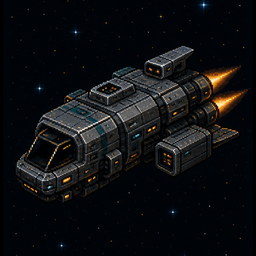
Free starter generalist for learning trade routes and the wider universe.
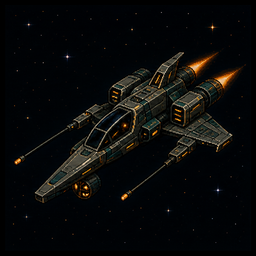
Compact survey craft with enhanced scanners and a strong escape profile.
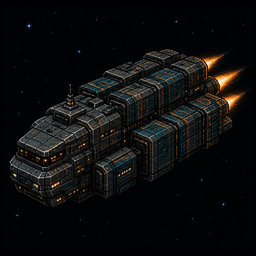
Dedicated freight carrier with automation hardpoints and light combat systems.
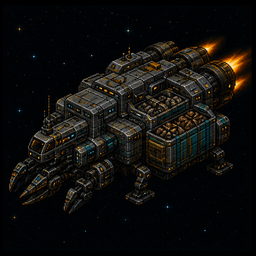
Colony-supply hauler and the only hull that supports Planetary Logistics Core.
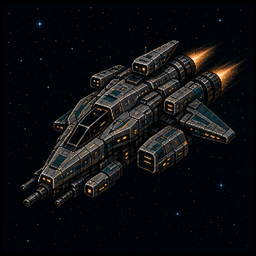
Combat-focused cutter with reinforced shields and a larger drone bay.
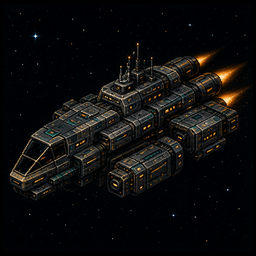
Explorer-trader with capable scanners, useful holds, and a large fuel reserve.
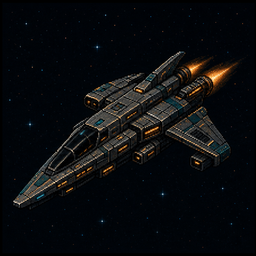
Discreet runner with the best escape rating and capable scanners.
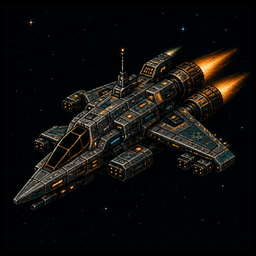
Patrol interceptor with strong shields, drones, and the highest base attack rating.
Standing